 WellCollar
Never get surprised by a violation again.
Every filing deadline, inspection and violation is tracked from notice to resolution, with the due date in front of you instead of in a filing cabinet.
- State filing calendar
- Violation lifecycle
- Spill & incident response
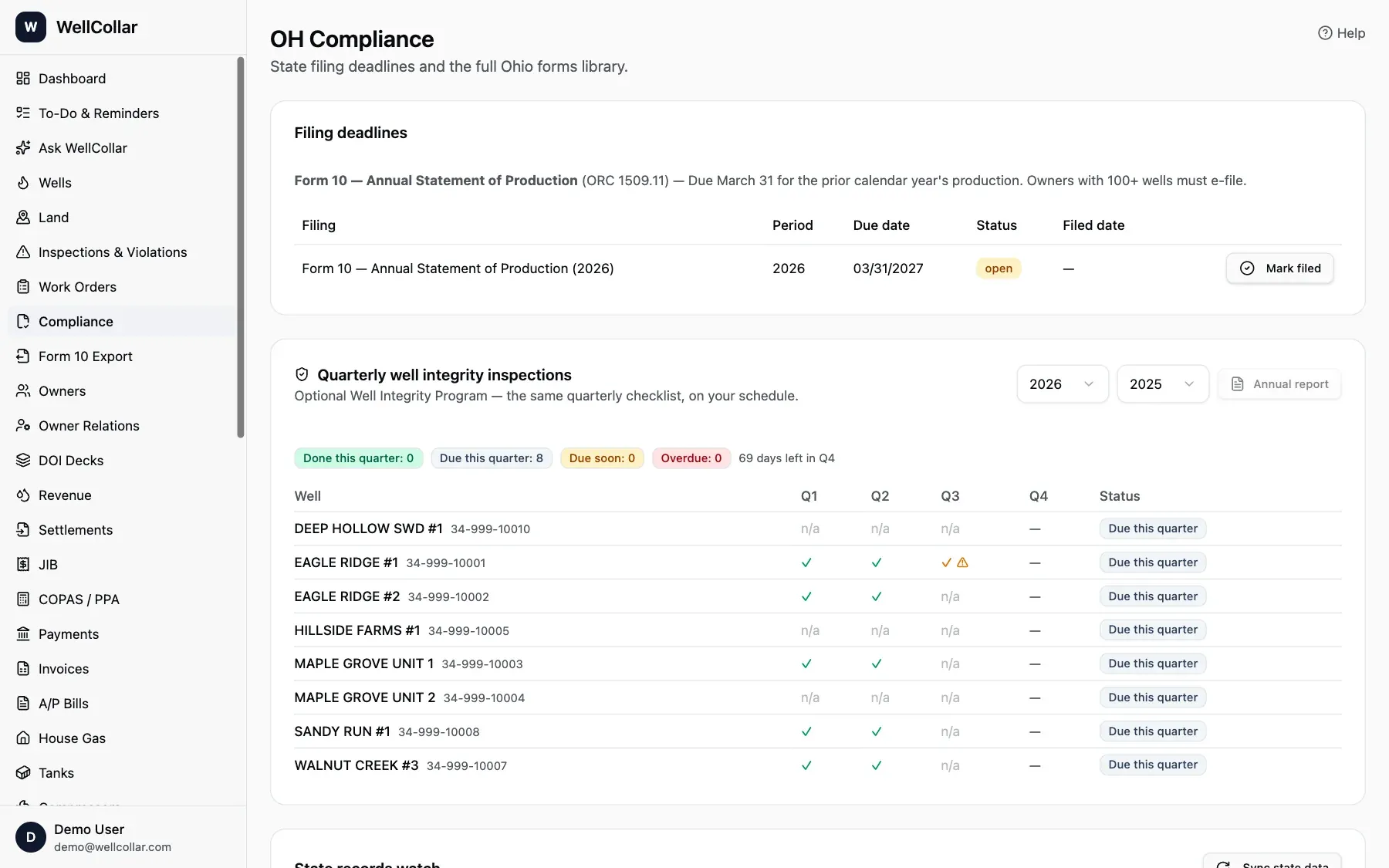
Compliance, without the filing cabinet
Shown with our demo company's fictional wells.
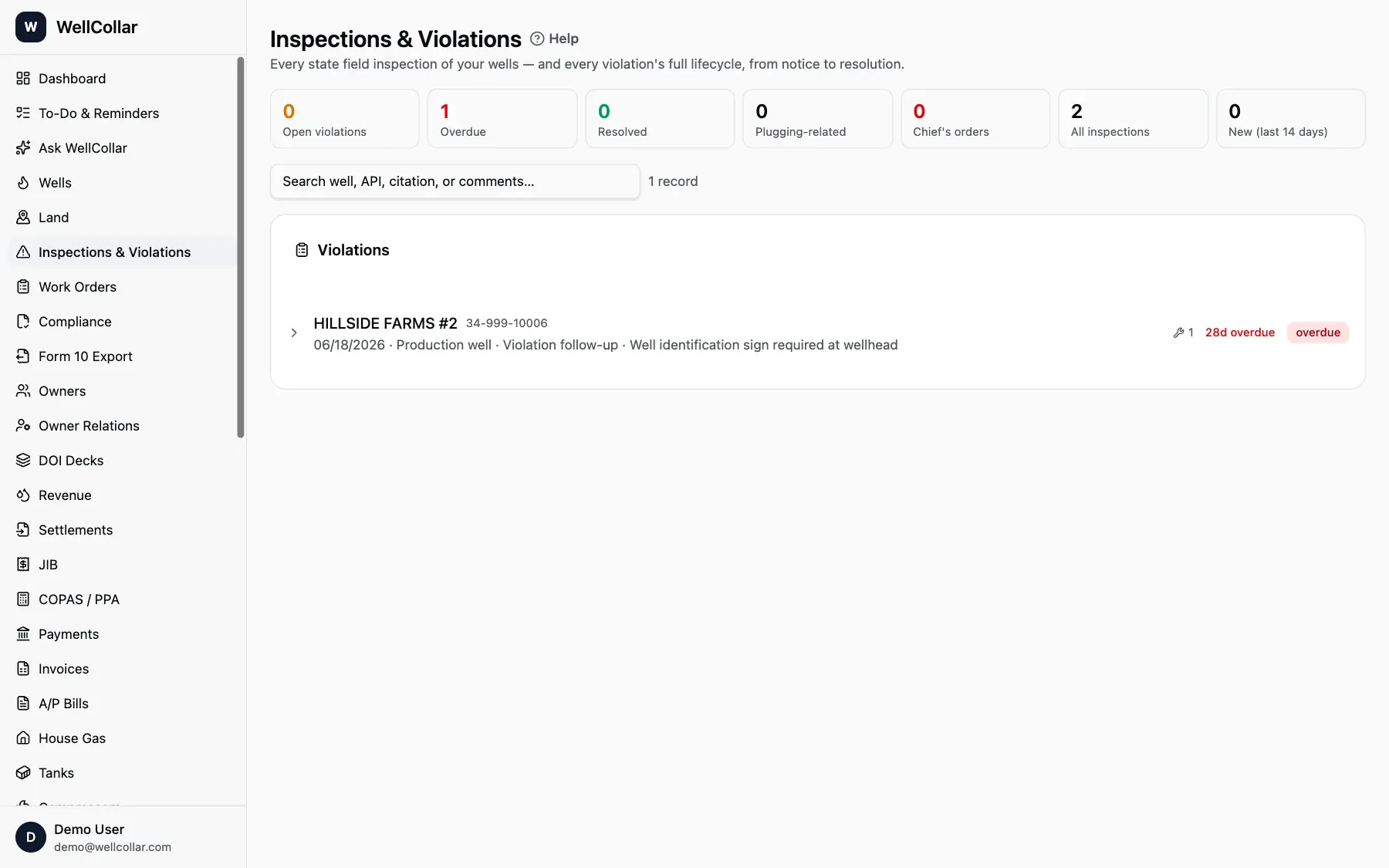
Every violation, from notice to resolution
See open, overdue and resolved violations at a glance, with the inspector's citation and comments on each one.
- Overdue items flagged by days past deadline
- Chief's orders and plugging-related items tracked
- Search by well, API number or citation
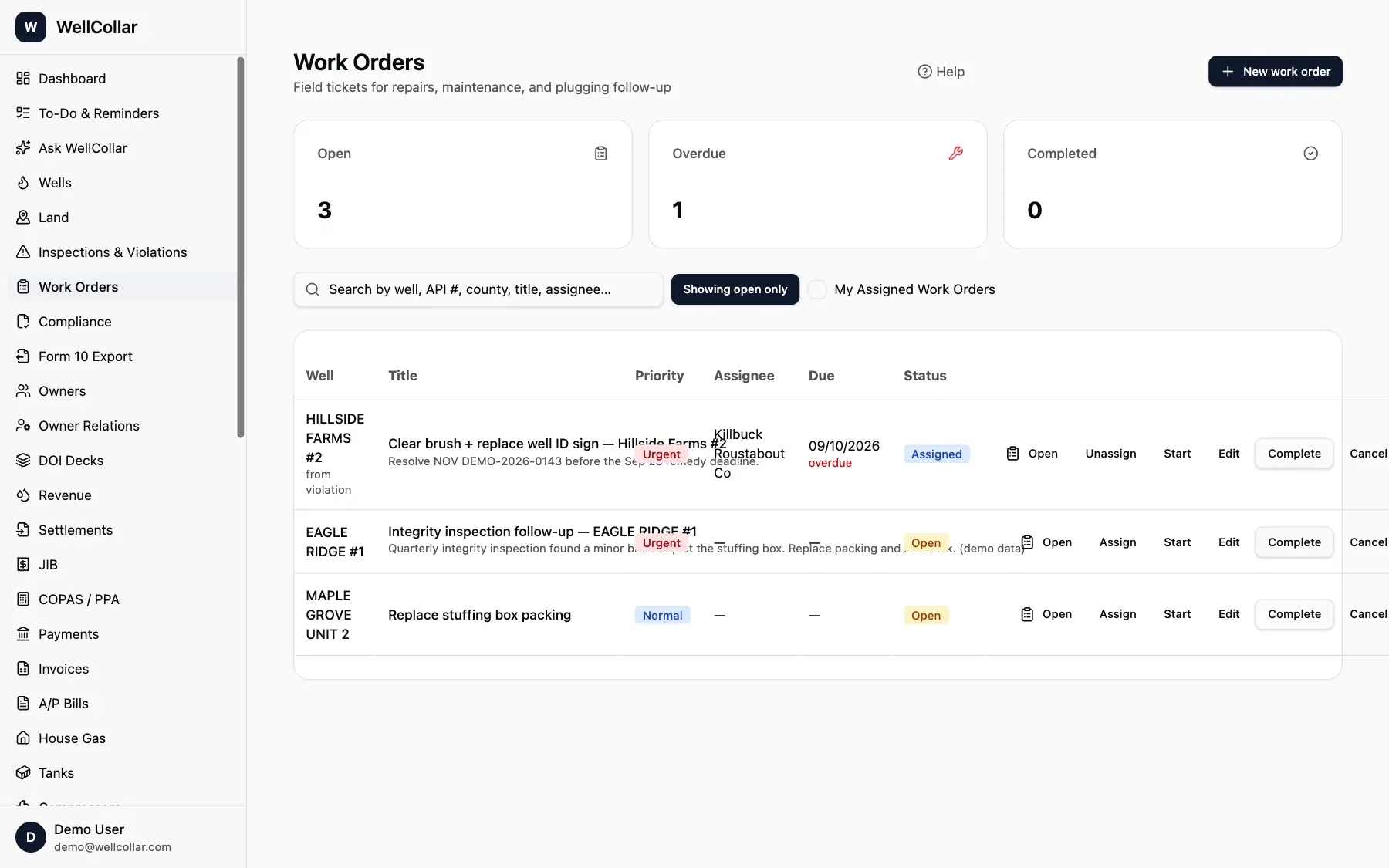
Turn a violation into a work order in one click
Assign the fix, set a due date and track it to done. Findings from quarterly integrity inspections open urgent work orders on their own.
- Priority, assignee and due date on every order
- Linked back to the violation it resolves
- Pumpers see their own assigned orders
Spills and idle wells, handled by the rules
Duties that catch operators off guard, tracked the way Ohio writes them.
Know in seconds whether to call
Log the release and see right away whether it's reportable: brine over about 42 gallons or oil over about 210 outside containment, any sheen on water. A countdown shows the 30-minute window, the call sheet fills itself from the well record, and the 30-day written report goes on your calendar. Read the spill reporting guide →
Catch idle wells before ODNR does
Wells with no production for two straight years (eight quarters for horizontal wells) are flagged from your own run tickets and gas sales, next to the state's last production year. Track temporary inactive filings, fees, six-month inspections and plugging estimates. Read the idle well guide →
Integrity tests on the calendar
MIT, automatic shut-off and brine pipeline tests show when they're due, with notice and results deadlines. Read the integrity testing guide →
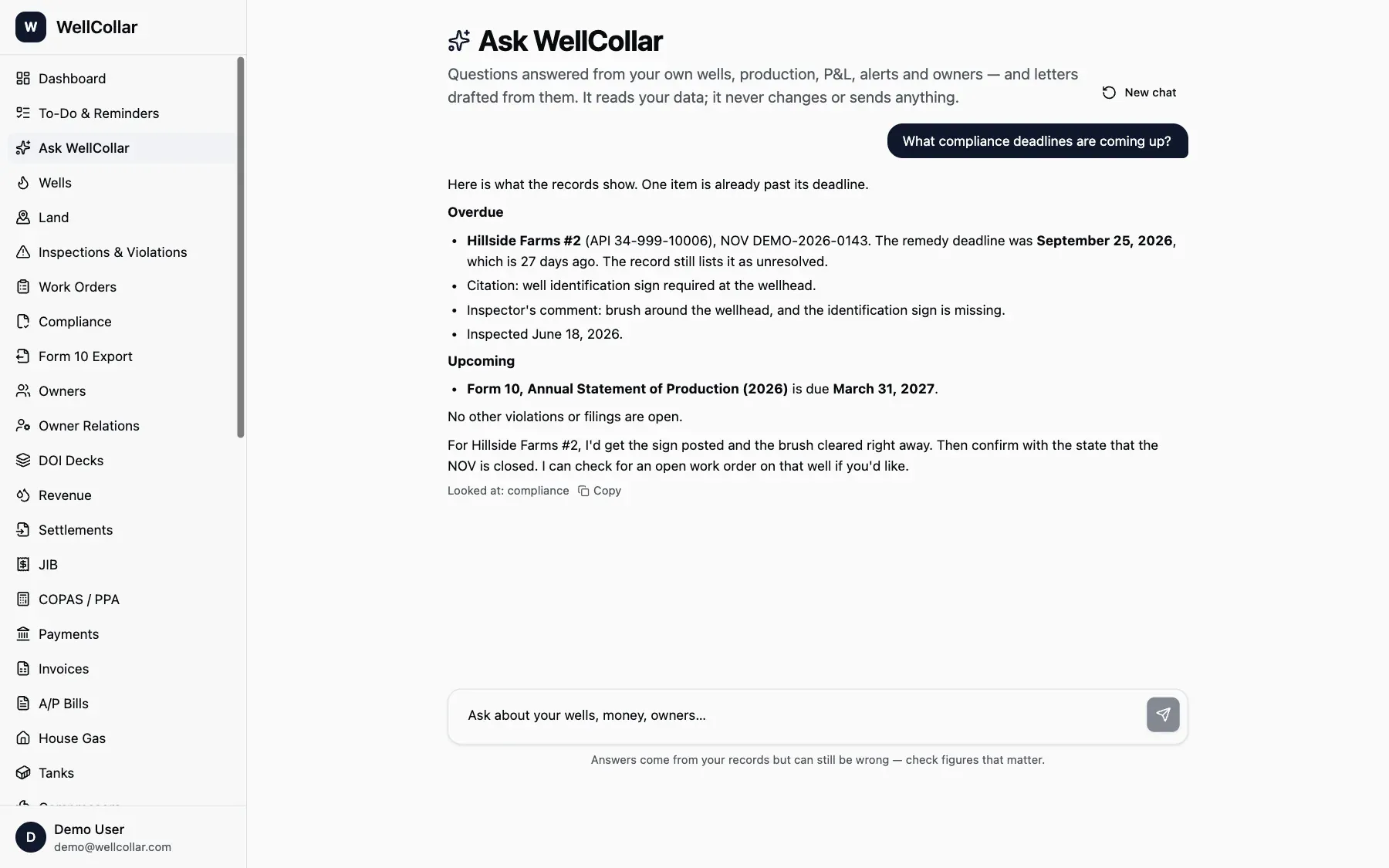
Ask what's due and get a straight answer
Type a question like “What compliance deadlines are coming up?” and get an answer drawn from your own records, including what's already overdue.
- Reads your data, never changes it
- Shows which records it looked at
- Included in every plan
Your state's calendar, built in
Deadlines and rules follow the state each well is in.
Common questions
Does WellCollar file reports with the state for me?
WellCollar prepares the numbers and the export or PDF, and reminds you before each deadline. You stay responsible for filing with your state.
Which states' rules does WellCollar follow?
Texas, Ohio, Pennsylvania and West Virginia. The filing calendar, idle-well rules and bonding notes follow the state each well is in.
Can a violation become a work order?
Yes, in one click. Quarterly integrity inspections that find a problem open a follow-up work order automatically.
Does WellCollar help when there's a spill?
Yes. Log the release and WellCollar tells you whether Ohio's 30-minute call applies, fills in the call sheet from the well record (location, GPS, API number, amount), and tracks the written report due within 30 days for oil releases.
Does it track idle wells?
Yes, with the Land & Leases add-on. It flags Ohio wells with no production for two straight years from your own records, tracks temporary inactive status filings and totals your plugging liability.
See it with your own wells
Open the live demo company in one click, or send us your operator number and we'll show you your own wells loaded and ready.